Help & Support Is Now Built Into AuditZap
A proper in-app help desk. Ask a question, report a bug, or raise a billing issue from inside AuditZap - and get answers in the same place.
- Signed-in users get a floating Help button on every page and a full two-pane /support inbox.
- Pick a category, write your request, optionally add a screenshot - we automatically attach the context we need (current page, plan, latest audit), visible only to our team.
- Replies land in-app with an unread badge, and you get an email the moment we respond.
Up to now, getting in touch with us meant sending an email. That works, but the conversation lives in your inbox, away from your account - so we can't see what you were looking at, and you can't easily pick the thread back up later. We wanted something better for both of us, so we built a proper help desk right into the product.
If you're signed in, you can now reach us without leaving AuditZap - and everything you send, and everything we reply, lives in one place you can come back to.
Two ways to ask for help
There's a floating Help button in the bottom corner of every page in the app. Click it and a panel slides in with your conversations and a button to start a new request - no navigating away from whatever you were doing.
If you'd rather have the full view, the new /support page gives you a two-pane inbox: your requests on the left, the conversation on the right. It's the same system, just roomier - handy when you're working through a longer back-and-forth.
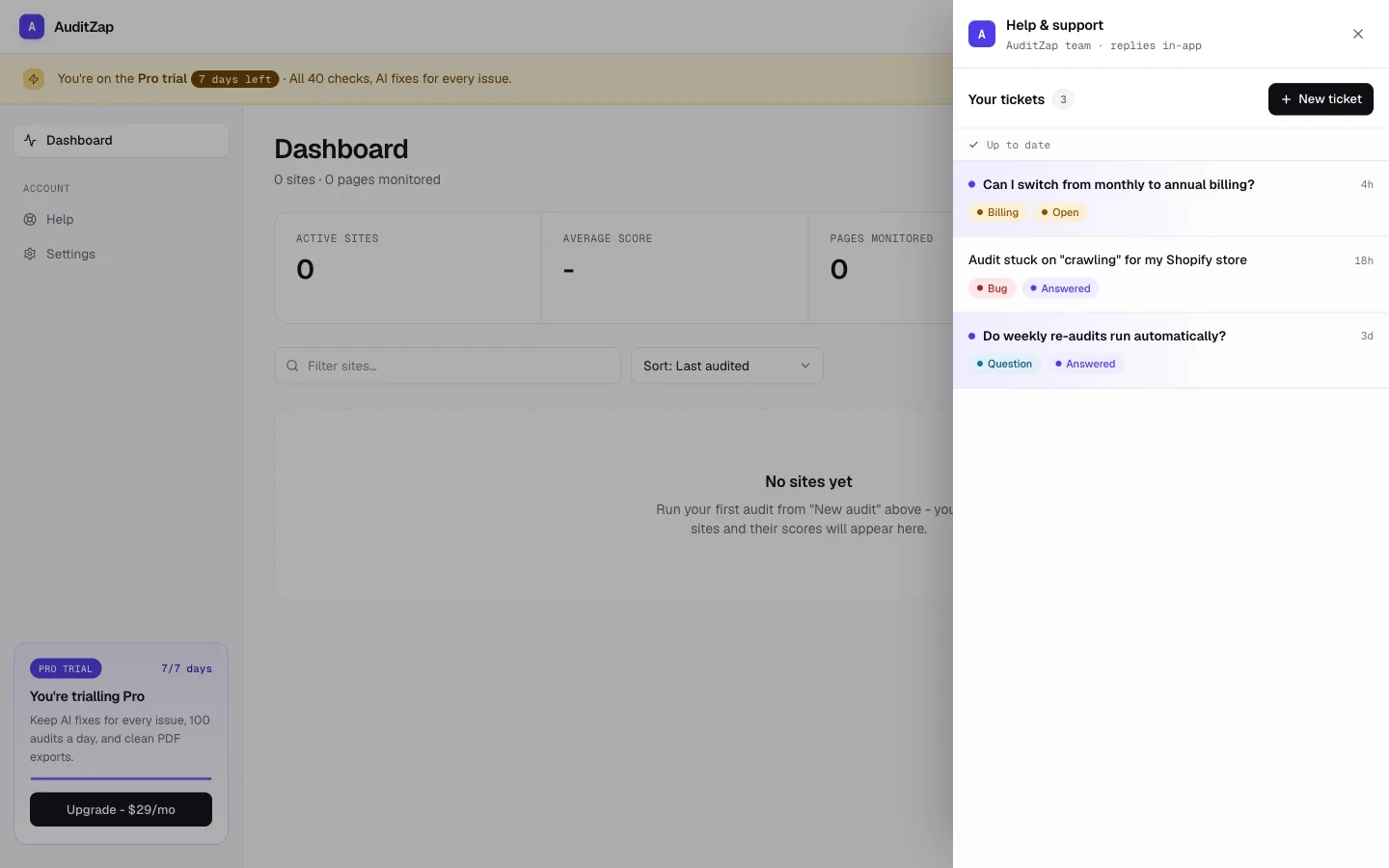
Tell us what's going on
Starting a request takes a few seconds. Pick a category so it gets to us in the right shape:
- Bug - something's broken or not behaving as expected
- Question - you're not sure how something works
- Billing - anything about your plan, payments, or invoices
- Feature - an idea for something we should build
Add a short subject, describe what's happening, and you're done. If a picture would say it faster, attach a screenshot - we downscale it to a compact WebP in your browser before it's uploaded, so even a full-page grab stays small.
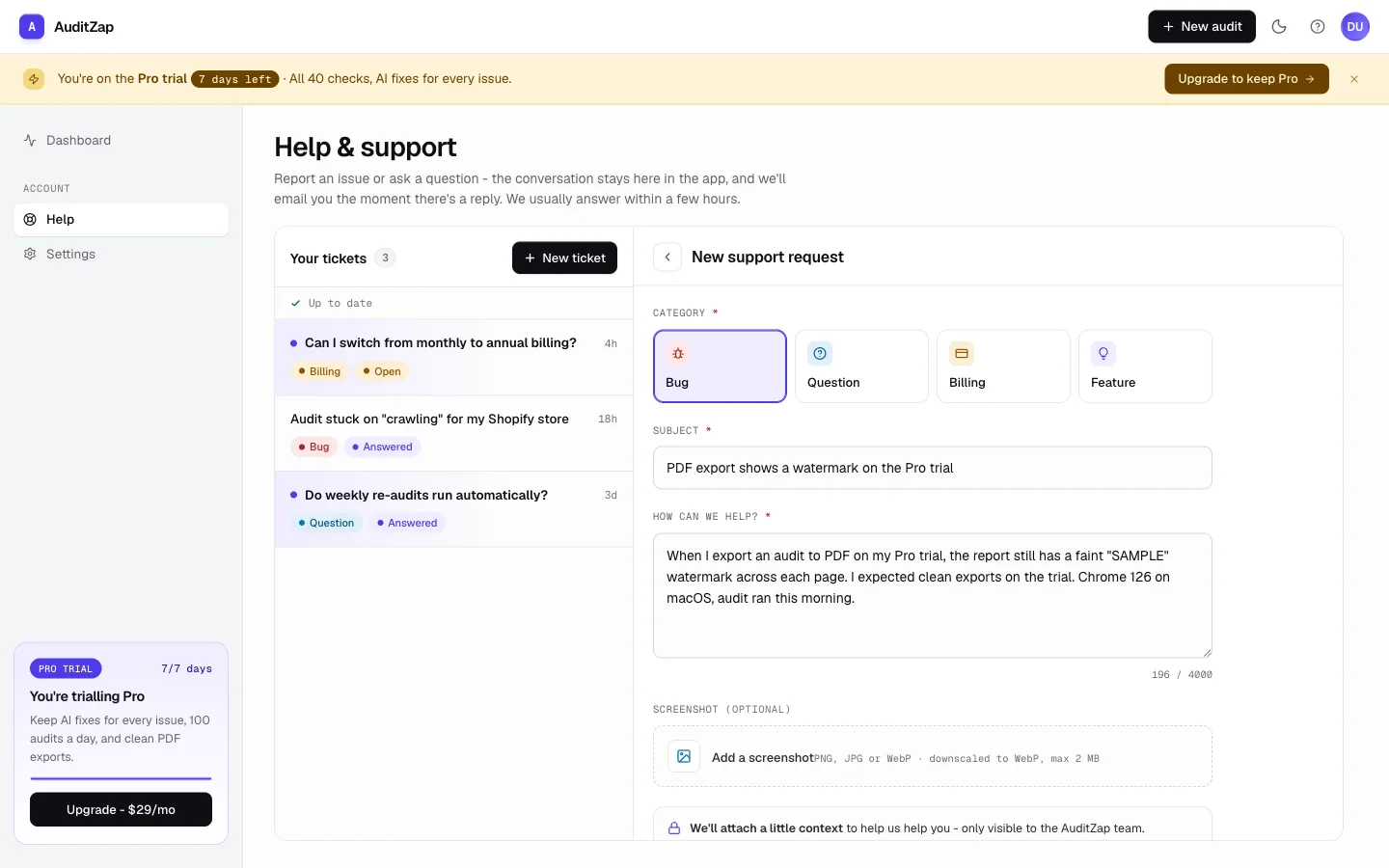
We bring the context, so you don't have to
The most tedious part of any support conversation is the setup: "which page were you on, what plan are you on, what did you last run?" AuditZap fills that in for you. When you send a request, we quietly attach a bit of context - the page you were on, your current plan, and your latest audit - so we can get straight to helping instead of asking.
That context is only ever visible to the AuditZap team, and it's captured at the moment you hit send.
Answers where you asked the question
When we reply, it shows up right in your support panel - and the Help button carries an unread badge so you'll notice even if you've moved on. We'll also send you an email the moment we respond, so you don't have to keep checking.
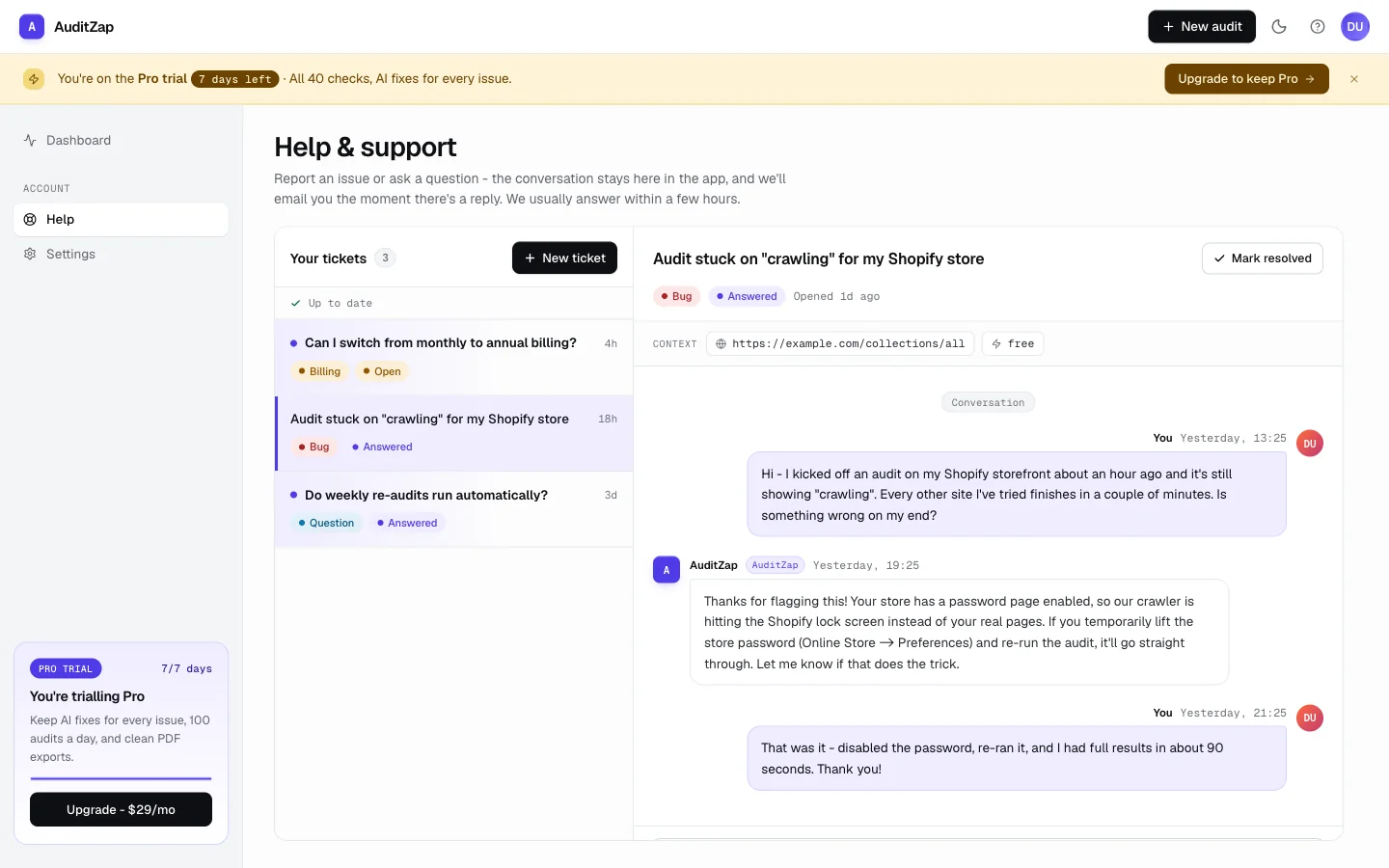
Every conversation is a persistent thread. Come back a week later and the whole history is there. Once something's sorted, it can be marked resolved and tucked out of the way - but it's never gone.
Available now
Help & Support is live for all signed-in users, on every plan. Open the Help button next time you're in the app, or head straight to /support. And if you're not signed in yet, run a free audit - the help desk, like everything else, comes with the account.
Get one AI fix instruction tailored to your platform, free - 3 audits a month, no card. Pro unlocks fixes for every issue.